Tampilkan postingan dengan label and. Tampilkan semua postingan

Intel AppUpp for Android apps and Games on Windows PC

Minggu, 25 Desember 2016

0 komentar
Run all Android Apps and more on PC Through Intel AppUp.
Download from the following link,and install on your PC.

http://www.appup.com/download-appup-thankyou/index

Install it & browse your Apps,Games,and which you liked one.For downloading games..etc,you need to sign in with Intel appup account or Google account, Facebook...etc as your wish.Enjoy!!

How to install ...
http://www.youtube.com/watch?v=yvy2x0Kcww0


Read More..

Intuitive home screen replacement and launcher with integrated viewers 3D UI

Selasa, 20 Desember 2016

0 komentar
Claystone Launcher v1.0.3739 for Android 2.1 and higher
Claystone Launcher v1.0.3739

Claystone is designed to go far beyond what you typical phone experience offers. The basis of this enhanced experience are the Claystone Stacks.

Within these Stacks, you can quickly queue up and browse through a wealth of content, including: websites, videos, photos, RSS feeds, YouTube, and more.

*** New Claystone Theme ***

Blueberry is a theme designed for the Claystone Launcher that introduces a lighter, more colorful appearance through the inclusion of new background images, button styles, and more.

*** Additional Themes Coming Very Soon ***

Additional themes will be available on a regular schedule as we continue to expand, enhance, and customize your Claystone Launcher home screen experience.

Getting Started Guide (PDF Format)

- [url]http://claystoneinc.com/wp-content/uploads/2011/06/Claystone-User-Guide-1.0.pdf[/url]

We Welcome Your Feedback

- We welcome your comments, feedback, suggestions and requests for additional Claystone themes.

Share Claystone Easily

- Spread the word and let people know you use Claystone
- We have made it even easier to share Claystone with the latest update
- Use the convenient Share Claystone button on the Options Menu to share Claystone with your friends.
- You can also conveniently rate Claystone and send the Claystone Team a feedback email from Claystone preferences.

Innovative Navigation

Navigating these stacks is just as easy as other smart phone interfaces. We’ve added a touch of 3D as a visual cue to help you easily navigate the stacks.

Claystone’s refined navigation system allows you to organize and manage applications, media, and documents more efficiently than ever.

Customization and Consistency

Claystone let’s you customize your widgets and Launchbar, add shortcuts, create folders, organize your apps and documents, create website shortcuts all within Claystone’s consistent unified interface.

Enhanced App Management

Claystone integrates all your favorite apps, and lets you browse through them while viewing videos, websites, photos, and other media for a more consistent experience.

Apps are organized in an intelligent manner, ensuring you don’t have to look very far to access them at any time.

Dynamic Content Handling

With Claystone, your favorite websites, photos, and videos are all presented amongst one another, standing side-by-side as you browse through them.

This erases the dependence on starting a separate app for each content type, permitting you to enjoy them all – quickly and efficiently – with incredible convenience.

Technical Support

- [url]http://claystoneinc.com/support/[/url]

Minimum Requirements

- Android smart phone or tablet
- Android 2.1 and higher
- OpenGL 1.1 and higher
- Normal screen size or higher
- Medium screen density (160 mdpi) or higher

[u]More Info:[/u]
[code]https://market.android.com/details?id=com.claystoneinc[/code]


Download :
Claystone Launcher v1.0.3739

Mirror:
http://www.filefat.com/wae89ci757qt
http://www.multiupload.com/8XX5VNIPT2
Read More..

Find and disable programs that slow your PC’s startup

Kamis, 01 Desember 2016

0 komentar
Disable programs that slow startup of a Windows 8 PC Windows 8 tip: Find and disable programs that slow your PCs startupWondering why your new Windows 8 PC is taking so long to start up in the morning? There’s a good chance that one of your installed programs is to blame.
The new Windows 8 Task Manager has a nifty feature that not only lists all the programs that launch when your system starts up, but also rates the “impact” they have on your PC’s startup speed.
Now, some “high” startup-impact programs will probably be ones that your system can’t live without—like, for instance, the “Rundll32″ application, an essential Windows app that helps other Windows program access shared “libraries” of computer code.
Others, however, may be programs that you forgot you even installed—and now they’re sitting on your PC, launching themselves whenever you hit the “power” button and gobbling up precious system resources.
So, ready to put a leash on programs that are slowing your system right out of the gate?
Task Manager Startup impact right click options Windows 8 tip: Find and disable programs that slow your PCs startup
Not sure what a specific startup program does? Right-click its name to get more details.
Here’s how…
  • To launch the Task Manager, just start typing “Task Manager” from the Windows 8 Start screen; you should see the Task Manager sitting at the very top of your search results. If you’re already in the “classic” Windows desktop, just press and hold CONTROL + ALT + DELETE and select Task Manager from the menu.
  • If it isn’t already, toggle the “More details” setting at the bottom of the Task Manager window to reveal a series of tabs at the top of the windows, then click the “Startup” tab.
  • You should now see a list of all the programs and processes that launch when your PC starts up. Click the “Startup impact” heading to sort the list from “High” startup impact to “Low.”
  • Now, take a look at the programs that are having the greatest “impact” to your system’s startup time. See any you don’t need? Select the slowpoke and click the “Disable” button to keep it from launching itself when your PC starts up. (I, for example, spotted Facebook’s “Messenger” app—which I never use—near the top of the list. Yep, it’s now disabled.)
  • Not sure what a particular startup program is for? Right-click its name and select “Open file location” to find out where the app sits on your hard drive; you can also “Search online” for more information or inspect the program’s “Properties.”
  • Change your mind about preventing a program from starting when you power-on your PC? Just open the Task Manager, select its name under the Startup tab, then click then Enable button.
Source http://heresthethingblog.com
Find and disable programs that slow your PC’s startup
Read More..

Edscape is Coming Join Us and Innovate Now

Sabtu, 26 November 2016

0 komentar
The annual Edscape Conference will once again be held at New Milford High School in New Milford, NJ on Saturday October 19, 2013.  Hundreds of educators from over ten different states and Canada descended upon my school last year to learn together and network in an effort to move their respective school cultures down an innovative path.  Edscape evolved out of the need to provide educators with relevant, meaningful professional development focusing on digital learning and innovation that was in dire need for many.  This was the case for teachers in my District as well as those throughout the Tri-State area. 


Here is a description of the conference:

As the educational landscape changes schools must transform accordingly in order to prepare all learners with the skills, tools, and knowledge to be successful in the 21st Century. This requires a shift in instructional techniques that focus on critical thinking, inquiry, problem-solving, authentic contexts, and technology. Edscape is a conference intended to bring together passionate educators who firmly believe that innovation is essential to increasing student engagement and achievement. Innovation begins with a desire to change. Edscape will provide attendees with the inspiration, strategies, and the confidence to actively pursue a transformation in teaching and learning practices.  The theme of this year’s conference is “Innovation Now”. We will explore how learning environments can be established to promote critical thought, inquiry, problem solving, and creativity. Attendees will leave with a greater sense of how to authentically engage all learners through meaningful and relevant instruction.  The Edscape Conference will feature presentations and workshops by innovative educators who believe that change is essential to meet the diverse needs of all learners in the 21st Century. They will share best practices, success stories, applicable strategies, and pedagogical techniques that address the following:

  • Meaningful, cost-effective professional growth opportunities to improve teaching and learning.
  • Effective technology integration as a means to promote student creativity, apply knowledge, and increase engagement in the classroom.
  • Design of authentic learning experiences to enhance critical thought, inquiry, problem-solving, and relevancy in the classroom.
  • Essential leadership practices to articulate a vision for school improvement and begin the implementation process.

Other conference highlights include the following:

  • 60 concurrent sessions
  • Keynote by George Couros, an internationally-renowned educator and leader
  • Featured presentations by Steven Anderson (@Web20classroom) and Shelly Terrell (@shellterrell)
  • Numerous presentations by educators who routinely speak and present at national conferences including Adam Bellow. 
  • Breakfast and lunch
  • Fantastic networking opportunities
  • An innovation lab to see firsthand some of the latest educational technology in action
  • Giveaways

DONT MISS OUT AND REGISTER TODAY! Check out the schedule HERE.

Read More..

Turn on “airplane mode” and Wi Fi at the same time

Kamis, 24 November 2016

0 komentar

Turn on Airplane Mode and Wi Fi at the same time Android/iPhone tip: Turn on airplane mode and Wi Fi at the same timeCarol writes: This may be more of a data/application question than a tech question, but here goes: Son is in Japan with his Droid Razr Maxx, trying to navigate around roaming and international charges—ouch!
Can’t get a straight answer from our carrier (Verizon); of course, they want us to sign up for international calling and data.
If he leaves his phone in “airplane mode” during the day—to take pictures, mainly—but turns on Wi-Fi in a free hotspot at night, will he be able to upload photos free of charge to Facebook or email (for example)?
We are using Viber for calling/texting, and Skype for online chatting. I am such a technosaur… :/
Hi Carol! Actually, you don’t sound like a technosaur at all. You already know about overseas data and calling networks (and that “roaming” on them costs a fortune), you’re savvy about “airplane mode” (which switches off all of your smartphone’s antennas and wireless transmitters), and you’ve figured out how to save on SMS and phone charges with free chat apps like Skype and Viber.
Not too shabby, if you ask me.
Android Wi Fi settings 300x251 Android/iPhone tip: Turn on airplane mode and Wi Fi at the same time
There’s nothing stopping you from turning Wi-Fi back on after activating “airplane mode.”
Anyway, yes—your son absolutely can upload photos to Facebook over free Wi-Fi hotspots in Japan, or anywhere abroad.
Wi-Fi hotspots have nothing to do with cellular voice or data networks (although some cellular carriers, like AT&T, offer Wi-Fi hotspots that subscribers can use), and as long as your son’s phone is set to “airplane mode,” there’s no chance he’ll run up massive mobile charges by accidentally roaming on a Japanese cellular network.
And here’s a tip: both Android phones (like the Droid Razr Maxx) and iPhones will let you turn on both Wi-Fi and “airplane mode” at the same time, meaning there’s no need to repeatedly switch “airplane mode” off and on to connect to a nearby Wi-Fi hotspot.
Here’s how…

For Android phones:

  • Tap Settings, then tap More under the “Wireless & Networks” setting.
  • Tap the “Airplane mode” checkbox (when you do, you should see a little airplane icon in the top corner of the screen), then tap Back.
  • Flip the switch next to Wi-Fi back on, then make sure you still see the airplane-mode icon at the top of the screen.
iPhone Airplane Mode settings 300x248 Android/iPhone tip: Turn on airplane mode and Wi Fi at the same time
You can also turn on both Wi-Fi and “airplane mode” on an iPhone.
(Note: the instructions above may vary depending on the make and model of your Android phone.)

For iPhone:

  • Tap Settings, then switch Airplane Mode to “On.”
  • Tap Wi-Fi, tap the switch to turn Wi-Fi back on, then connect to any nearby network. Again, you should still see the airplane-mode icon at the top of the screen.
Read More..

New APK Market iMarketApk » Drift and Rally v1 0 6

Minggu, 13 November 2016

0 komentar
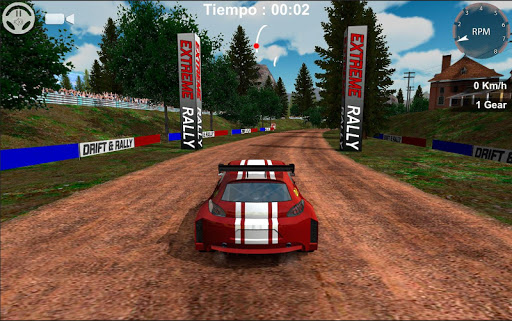
Drift and Rally v1.0.6

Requirements

http://iMarketApk.blogspot.com/ [New] APK Market iMarketApk » Drift and Rally v1.0.6 [Torrent Modded apk] Free APK are available on every other topic you can think of in both fiction and non-fiction of. There are free Android APK available for adults and children and even between and teenagers. It may seem overwhelming to find and download [android apk] Hack no survey [New] APK Market iMarketApk » Drift and Rally v1.0.6 ҩ MOD but with the steps below youll be just minutes away from getting APK.: 2.3+

http://iMarketApk.blogspot.com/ - Overview about Drift and Rally v1.0.6

Full Download MOd [New] APK Market iMarketApk » Drift and Rally v1.0.6 and Torrent Link

: Drift and rally will take you to the limit of driving in the world of racing cars.

You can compete in the World Rally Championship divided into 24 different stages and on land, snow or asphalt surfaces. And all without additional payments. All available free of charge once you have purchased the game.

-3 GAME MODES-

-World Rally Championship. Divided into 24 stages from 12 different countries

-Free timed tests. Select a stage of the Rally and elevates your name to the most high in the world ranking of pilots.

-6 tests Drifting. Where the drift becomes art. Brings your car to the goal making it skid the maximum possible time and puts your name in the world online with the best Drifting in the world.

-FEATURES-

-6 high-performance rally cars.

-Names of the drivers in the Rally World editor

-The gearbox of car settings.

-3 different types of control.

More Info Drift and Rally v1.0.6

You can directly download the apk file with torent modded or just in iMarketApk

Android APK Files [New] APK Market iMarketApk » Drift and Rally v1.0.6 Full And No Hack No Survey No ROOT

:

https://play.google.com/store/apps/d....DriftandRally

Download Instructions:

Download Url

Download Url

Download Url

Obb:

Download Url

Download Url

Download Url

Read More..

Apps and Social Media in the Classroom

Kamis, 10 November 2016

0 komentar

It is springtime at New Milford High School and new ideas are flourishing.  Teachers are consistently empowered and given the autonomy to take calculated risks without the fear of failure to enhance the teaching and learning process.  The end result is that our students benefit from lessons that combine sound pedagogy with the effective integration of technology. Below are two highlights from the month of April.


In support of the school’s BYOD initiative, Mrs. Chellani has recently discovered and integrated a new app called Socrative, a free, online polling tool.  This app allows students to respond to questions the teacher asks in class via their smart phone, providing an alternate means for students to participate in class.  The results are displayed on the SMART Board through the Socrative website to facilitate discussion.  Additionally, this app serves as another way for Mrs. Chellani to formally assess her students in a differentiated and technologically advanced fashion. 

Students in Mr. Devereauxs AP Biology class are creating social media accounts for the immune system.  Using Facebook, Twitter, Pinterest, or Tumblr, the students need to narrate a day in the life of the immune system.  They have been finding creating ways of using hash tags, mentions, pictures, videos, and various other ways to infuse their projects with relevant, accurate, and interactive content illustrating how the immune system works.  Check out Mr. Devereauxs website by the end of the week to see some student examples.


Read More..

Initiating and Sustaining Change

Jumat, 21 Oktober 2016

0 komentar
This past weekend I was fortunate enough to present at the 2013 Annual ASCD Conference in Chicago.  This conference is one of my must attend events of the year and I use it as an opportunity to develop new presentations based on my leadership experiences at New Milford High School.  Since we have initiated and sustained quite a few changes that have transformed the teaching and learning culture at my school I felt that sharing the "why" and "how" would benefit others that have experienced difficulty with or are looking to begin the change process.  

Keys to Sustaining Change from Eric Sheninger

The presentation itself focused on key elements, behaviors, strategies, and initiatives that aided our pursuit of meaningful change to benefit our learners and greater school community as a whole. Change does not have to be an illusive process that is frustrating and takes too long to come to fruition.  The general keys from my experiences leading change through collaboration with key stakeholders are as follows:
  1. Determine what needs to change and why
  2. Address reasons why change is so hard
  3. Identify specific roadblocks and ways to overcome them
  4. Develop an understanding of the keys for implementing sustainable change and begin the process poised for success
  5. Make the changes and see them through 
Even though this has worked for us it is by no means a full-proof blueprint for change in educational systems.  In your experiences what would you add to this presentation and why?

Read More..

BYOD and the Paperless Classroom

Sabtu, 01 Oktober 2016

0 komentar
At New Milford High School teachers are adapting their professional practice as we continue to evolve into a Bring Your Own Device school where student-owned technology integrated effectively.  NMHS teachers are also beginning to to integrate social media tools that are blocked and banned in the majority of schools across the country.  Ms. Smith’s science class has gone paperless. Students complete assignments whether it’s homework, class work, projects and tests all online using various websites, such as, Edmodo, Tumblr and Instagram on their BYOD devices. They also use their smart phones, iPads, iPods and digital cameras to take notes or to capture information. All pictures, notes and assignments are posted on the websites, e-mailed or placed on their private homework blogs. This has led to more student engagement, accountability and participation in the classroom, peer reviews and instant feedback to the students on how they are progressing. 


Image credit: http://www.packwomantech.com/byod-pros-and-cons.html

In Chemistry, Marine Biology and Bioethics Studies, every week each student makes two reflective and analytical posts on their blogs (Tumblr, Wordpress, Blogger, Pinterest or Weebly) exploring what has been happening globally or locally, either on TV or the Internet, and then making connections to what they have been learning in class. They are taking charge of what they want to learn about and are interested in science. Some examples of their blogs can be found at the following links: 


  • http://chemistrychronicles.tumblr.com/ 
  • http://smatthewsmarinebio.tumblr.com/
  • http://stephaniehparkchemistry.tumblr.com/
  • http://submarinologists.tumblr.com/ 
  • http://tflstar89.wordpress.com/ 
  • http://jasminnj.tumblr.com/ 
  • http://chemistryinreality.tumblr.com/ 
  • http://jessiewhittaker.blogspot.com/?zx=80a0680a9077d851 
  • http://chemistry2013-14.tumblr.com/  
  • http://aashlinthomas.blogspot.com/  

Students also used Instagram as a communication tool (like texting) as a way to give feedback, make comments and to reflect on what they have been learning. This works extremely well in Bioethical Studies, where some students may be reluctant and shy to express their opinions. One topic had 143 comments in the forty-eight minute period. Using Instagram allowed everyone to have a voice and be heard. They have also used Instagram/Webstagram to send short video when Ms. Smith has been absent to show they have been engaged, completing their work, and staying on task. Make sure you follow Ms. Smith on Twitter.

What tools and techniques are you using to go paperless in your classroom and/or school?

Read More..

BYOD Begins With Trust and Respect

Kamis, 22 September 2016

0 komentar
I have written extensively over the past couple of years about our Bring Your Own Device (BYOD) initiative at New Milford High School at the Huffington Post and on my own blog.  It has been interesting to look back at all my blog posts to see how far we have come with BYOD at NMHS.  My first ever post on the topic just provided a small glimpse at the possibilities inherent when students are empowered to use the technology that they already posses to enhance their learning experience.


Image credit: http://www.securedgenetworks.com/secure-edge-networks-blog/bid/81148/4-Myths-of-BYOD-on-Enterprise-Wireless-Networks-Debunked

It was our desire and quest to create a school culture and learning environments that were more reminiscent of the real world that our learners would soon be a part of that drove change in this area. When I reflect upon how the program has evolved into its current state I cannot help but to think about the most important change that was made recently.  It was during the summer that Ron Watson, the NM District IT Director, and I met to discuss the future of BYOD at NMHS. Up until this point we had students sign off on a paper guideline sheet after which I created a username and password for them to access the secure guest network.  This information was then passed on to Ron and each student that filled out the form was granted access.  There is no doubt in my mind that this process limited the amount of students who opted to bring their own mobile learning devices to school. I cant thank Ron enough for putting students first! Speaking of Ron, he just informed me that we had 460 unique devices connect to our guest Internet network yesterday (535 for the week) at my school. This is fairly significant as we only have 650 students and 53 staff members.  Take a look at the traffic at each access point below.


After critically analyzing our process and the culture of NMHS it was decided to change how we went about allowing students to access the Internet.  We decided to trash the old process reliant on paper and emails by replacing it with a seamless alternative that empowered students to want to bring their mobile devices to school.  This week I revealed these changes to our students.  While encouraging them to bring in their tools I explained that they could now access the Internet immediately with their current passwords and usernames that they have used to log onto school computers during their entire NMHS careers.  All they had to do now was bring in their device, select the guest network, enter their username/password, and check the box to agree to the terms of use. Then wallah, they would be connected to the Internet. Below is the terms that each student now has to agree to in order to access the Internet:


NMHS students and parents/guardians fully acknowledge that use of a personal device on the premises of New Milford High School is subject to all guidelines, rules and regulations governing acceptable use as established by the New Milford Public Schools Board of Education, Policy #2361 and Regulation R2361.  It is further understood that use of a personal device is restricted to those activities as required or related to the students program of study and any use otherwise may be subject to disciplinary action including loss of device use privileges. Students WILL NOT access websites with inappropriate content using a 3G or 4G connection. Students and parents understand/agree that New Milford High School is NOT responsible for any damage or theft that may occur to the laptop while on school property. 
By logging into the New Milford wireless network, they are accepting the terms of the New Milford Student Responsible Use Guidelines. Once on the New Milford wireless network all users will have filtered Internet access just as they would on a district-owned device. 

Our BYOD initiative at NMHS has succeeded and grown up to this point based on the basic premise of trust and respect.  Yes, we have policies in place, the right infrastructure, and support our teachers with professional development and guidance. However, the most important elements stem from the fact that we trust our students to use their devices as tools for learning, enhanced productivity, and to conduct better research.  Time is spent working with them on digital citizenship and the creation of positive digital footprints that they can be proud of.  We also respect them as learners growing up in the digital age where these tools are playing a greater role in the world we are preparing them to succeed in.  When creating a BYOD initiative grounded in these principles the possibilities are endless.

What do you think are the keys to a successful BYOD initiative?
Read More..

Mobile Schools The Next Generation in Communication and Engagement

Minggu, 28 Agustus 2016

0 komentar
As an early adopter of transformative technologies, I have been watching the mobile app space carefully to see how it can benefit all facets of education.  By being a thought leader in the use of digital technology in schools, I was approached by a bold start-up in Boston called Beeonics, which wanted to talk to me about their breakthrough technology.  I had them come down and meet with several student leaders and me this past spring where I shared my vision of having a mobile app for New Milford HS, which could also be shared with other schools.  This work, has rapidly resulted in, I am very excited to say, a native mobile app for the NMHS community that cost my district absolutely nothing thanks to the work of my students and staff. 


My vision is for every high school around the country to have its own native mobile app.  For a high school, having its own native mobile application is a tremendously valuable asset as a tool to communicate more rapidly and efficiently within its community and as a means to help administrators, teachers, coaches, students, and parents to organize more productively all school activities.  As many of you know, here at New Milford High School we have been at the forefront of adopting social media and the latest technologies to improve the way we run our educational and extra-curricular programs. Understanding how mobile devices can be used to benefit all the constituents of our community is a staple of our long-standing commitment to bring technology to the use of our community.  

Using Beeonics technology, we have been able to quickly create a state-of-the-art native mobile application with a rich set of features.  Our application can be managed very easily by our staff through a website with a user-friendly graphical interface. We envision every school benefiting from having their own native mobile application.  Therefore, we want every school to benefit from our work.  Thanks to Beeonics technology, any school can take our mobile application as a template and almost instantly create their own native mobile application, customized to their school.  We will continue to add to our application while making these additions and improvements available to any school, public or private, so please check back often.


Where we stand today is that the New Milford High School native mobile application is now in use by the students, faculty, staff, and parents at New Milford High School on iOS (iPhone and iPad) and Android devices (smart phones and tablets).  All the constituents of the NMHS community are both intrigued and excited by its capabilities. The new school-year version of the application will be available during the first week of September.


I am sure at least some of you, maybe even many of you, are dubious that creating the app itself was easy, let alone easy-to-manage.  However, I assure you any school can do it.  Remember when doing a web site was hard 20 years ago?  Today, a non-engineer can go to SquareSpace, GoDaddy, Wordpress, and many others and make a good web site in a few days, sometimes even hours. This is the Beeonics vision, but for mobile apps (which is a much harder problem with different operating systems, different versions within operating systems, and devices of markedly different size and dimension).  Let me tell you what we did.


The mobile application was developed directly from the input of a group of students, teachers, and administrators. The process was quick and efficient. Modifications and improvements were rapidly implemented.  The mobile application comes with a user-friendly website, which staff and administrators can use to easily share content and notifications with their students in real time. A group of students, teachers, and administrators tried the mobile application during the last four weeks of the previous school year. We collected further feedback and ideas for additional functionality, which were used over the summer to fine tune the application and associated website in the new school-year version.  We made the changes and, voilà!, we have a richly-featured mobile app.

I wanted a mobile app for the community of stakeholders at NMHS for many reasons. First, for the students, the application helps them organize their schedule, activities, and homework, and provides them with real-time updates on classes, activities, and athletics.  Specifically, for students, the app enables them to:

  • Access their personalized class/activity schedule and homework planner, with which they can organize all their assignments
  • Access exclusive content/information on their classes, activities, sports, and clubs
  • Stay in close touch with their teachers and coaches
  • Ask questions and receive answers from their teachers and coaches at any time (within reason!)
  • Receive notifications and announcements from the school and from their teachers regarding delayed openings, emergencies, schedule changes, room changes, practices, meetings, events, and other information
  • Stay always up-to-date on all school events and activities that interest them
  • Enroll and follow clubs and activities, as well as check the latest scores and events
  • Use their phone as their lunch card in the school cafeteria
  • Get lunch menus and nutrition information about school food
  • Use their phone as a secure electronic ID to access the school
  • Provide feedback on relevant topics and participate in polls
  • Access their grades
  • Access general school information and contacts


The students are excited because they can have all this information and all these capabilities always available and immediately accessible on their phones, rain or shine, in or out of school.


With respect to teachers and coaches, they are now able to:

  • Easily assign and manage homework, without creating extra work for themselves
  • Easily distribute and manage content/information relevant to each class, practice, or meeting
  • Notify in real time the students in their class or on their team of changes in rooms, practices, meetings, games, venues, and any other information
  • Stay in-touch with their students, team members, other coaches and teachers, and parents
  • Manage in one stop all the social media channels that they use to communicate with their students, team members, and parents

This functionality helps us run the internal functions of the school more effectively, more efficiently, more easily, and with a fun factor we have not had before. The app also allows the constituency outside of the school, the parents, guardians, and other stakeholders to: 

  • Follow and participate in parent/guardian organizations
  • Receive real-time notifications and announcements from the school, teachers, and coaches
  • Stay always up-to-date on all school events and activities that interest them; check the latest scores and event updates
  • Access school information on all the social media channels
  • Access general school information, and contact information of administrators and teachers


The parents are excited because they can have the peace of mind that they are always up-to-date and informed of the activities of their children and notified of any time-sensitive information. Last, but by no means least, I would be remiss if I did not address how this benefits me and the administration of NMHS.

We use the mobile application to:

  • Notify the entire school population in real time of school closings, delayed openings, schedule changes, events, and hopefully never, emergency situations
  • Distribute information and notifications to all the social media channels, including the New Milford High School Facebook and Twitter page
  • Most importantly, it does so without having to recreate work or duplicate materials from one area to another.  I did not want to do anything to make my job or the job of my terrific staff any harder.

What I love the most about our native mobile application, in addition to the obvious positive impact that it has throughout our community, is that I can reach all my constituents instantly and reliably, on the one device which is the most personal and which is (unless they leave it at home like I have a few times before!) always with them.

I am really excited about the mobile app and even more excited that all of you can take advantage of the work done by my students, staff, teachers, coaches, and parents to bring the same capabilities we have today to your school quickly. To that end, I have asked Beeonics to offer our app to other schools for only $1.49 per user per academic year as a favor to me and because we helped Beeonics debug their software (the Beeonics app is normally $2.99 per user per academic year).  The company has graciously agreed.  This offer stands through the end of 2013.  Please go to http://www.beeonics.com to register and use the keyword “Eric”.

Read More..

Digital Learners Need and Deserve Digital Leaders DigiLead

Kamis, 25 Agustus 2016

0 komentar
I recently read this Education Week post by  Jill Berkowicz and Ann Myers titled We Have 21st Century Learners Who Need 21st Century Leaders.  I couldnt agree more. They go on the summarize the following:
"Essentially, the 21st century leader has to develop a renewed understanding of how children are learning now.  It isnt about using technology because it exists. It is about how the technologies of the world have already influenced how children are learning. Bringing a technology agenda forward with the intention of improving student understanding and demonstrated success is essential.  Leading the transition from 20th century to 21st century schools includes attention to the human toll it takes when such large changes are being required.  Ongoing professional development, constant review and analysis of successful attempts at the changes in learning opportunities and the increasing use of technology offer momentum."

The world has changed and technology has had a big impact.  As the world and our lives have become more connected and influenced by the evolving technology-rich landscape our learners in turn have become wired differently.  Not only are they engaged more outside of school then in, but in many cases they are constructing new knowledge, communicating, collaborating, and attempting to make sense of an array of media messages.  All of these examples are at the core of essential skill sets that most schools "want" students to possess, but many schools do a poor job of creating a culture that integrates them across the curriculum. Students deserve leaders willing who are willing to extend themselves beyond their comfort zones in order to create a culture that aligns with a new vision for learning.  This involves a leaders desire to take calculated risks, adapt, learn, and ultimately evolve in ways to break free of the status quo in order to create digitally rich environments that meet the needs of todays digital learners.


Image credit: http://inspiringtheact.org.au/event/unconventional-gas/

The number one responsibility and challenge for digital leaders is to create a relevant, meaningful, and authentic learning culture that allows students to create learning artifacts to demonstrate conceptual mastery. It also requires an open mind, vision, and strategic plan to allow students access to real-world tools to do real-world work. A common misconception is that you have to be "tech savvy" in order to be a digital leader.  Of course it helps, but it is not a necessity.  What is needed is a thorough understanding of what constitutes effective leadership and determining how these characteristics, skills, and practices can be improved and/or enhanced with a new mindset that views technology as a tool to support learning as opposed to just a frivolous add on.  Some of the most effective digital leaders, or just leaders for that matter, build capacity in others to move the change process further.  If you are a leader looking to do so, begin to have conversations with your teachers, and more importantly your students, to collaboratively create a system that works for learners as opposed to one that just acts to control them.

Societal changes as a result of technology now demand leaders to also look at how they perform other essential responsibilities to improve and move schools forward in the digital age.  The Pillars of Digital Leadership provide a practical framework for any leader, regardless of technological proficiency, to improve professional practice.  The tenets of leadership still apply.  It should also be noted that this isnt about giving us more to do in a time when it seems like more and more is being dumped on a leaders plate. The guiding question is how can we do what we do better to become more effective and efficient while becoming improved learners, collaborators, communicators, storytellers, and change agents.  If we look at the digital age as an endless era of opportunity to engage students in deeper, more relevant learning then the next logical step is to act.

We can no longer stand by idly while everything changes except for schools and learning environments. View this post as a call to action.  If you are a digital leader how will you help support, cultivate, and inspire others to follow a similar path? The Age of Information and Personal Learning Networks (PLNs) provides ample resources for any leader (classroom, building, district) to find success, not to mention my new book on Digital Leadership.  The challenge is to get those who do not value the role of technology in learning today, are not connected, or who are blinded by fear, misconceptions, or lack of knowledge on board.  Learners across the globe are counting on our success in this endeavor.  Are you up for the challenge?

Read More..

Send PDFs and other documents to your Kindle

Kamis, 10 Maret 2016

0 komentar
How to send a document from your desktop to a Kindle Mac/Windows tip: Send PDFs and other documents to your KindleGot a PDF or Word file on your desktop that you’d rather read on your Kindle? Thanks to a handy utility from Amazon, you can send text documents from your PC or Mac directly to any Kindle e-reader or app, in just a few clicks.
Available for both Mac and Windows users, the “Send to Kindle” tool lets you send documents and even images to your Kindle from your Mac or Windows desktop, or via Windows Explorer.
Of course, you can already send Word, PDF, TXT, and other text documents to your Kindle via email; all you have to do is go dig up your personalized Kindle email address.
That said, “Send to Kindle” saves you the hassle of firing up your email client and attaching the file to a new message.
So, ready to start sending files to your Kindle?
Here we go…
Send to Kindle from Mac Print menu 300x157 Mac/Windows tip: Send PDFs and other documents to your Kindle
You can also send text or image files to your Kindle from the Mac’s Print menu.

On a Mac:

  • First, visit this page on Amazon.com and click the “download and install” link. To finish the installation, open the brown “.PKG” file that appears in your Downloads directory; once you do, the Send to Kindle app should appear in your desktop dock.
  • Go ahead and launch Send to Kindle, then enter your Amazon username and password at the prompt.
  • Now, let’s give Send to Kindle a try. Drag and drop a PDF or Word file from your desktop to the Send to Kindle window, right on top of the “Drop files here” arrow. Before the file is actually sent, you’ll get the chance to name it, pick which Kindle devices and/or apps you’d like to send the document to, and choose whether you’d like it sent via Wi-Fi or Amazon’s wireless “Whispernet” service. If you choose Whispernet, keep in mind that Amazon will charge you a fee for the privilege.
  • All set? Click “Send,” and wait. Within a few minutes, your document should pop up on your Kindle’s home screen.
  • Want to “print” a document to your Kindle instead? Just select “Print” from any application, and select “Send to Kindle” as the printer.
  • Last but not least, you can send a document to your Kindle by right-clicking the file, selecting “Open with…”, and then picking “Send to Kindle” from the pop-up menu.
Send to Kindle from Windows Explorer 300x187 Mac/Windows tip: Send PDFs and other documents to your Kindle
Just right-click to send a file straight to your Kindle from Windows Explorer.

On a Windows PC:

  • Visit this page and click the “download and install” link; the installation process should begin automatically.
  • When prompted, enter your Amazon account login information to register the “Send to Kindle” app with your online Kindle library.
  • Now, open Windows Explorer (or “File Explorer,” as it’s now called in Windows 8), find a text document or image file you’d like to send, and right-click it. From the menu that appears, select “Send to Kindle.” You’ll also find the “Send to Kindle” option by right-clicking a file on your desktop.
  • As with the Mac version of “Send to Kindle,” you’ll get a confirmation window that lets you rename the file and pick one or more destinations. Once you’ve made your choices, click the Send button.
  • You can also (again, same as on a Mac) “print” a document to your Kindle by selecting “Send to Kindle” from the Print menu.
Send PDFs and other documents to your Kindle
Read More..

The People and Moments That Define Us

Kamis, 25 Februari 2016

0 komentar
I knew early on in my education career that I wanted to be an administrator. The predominant reason for this was that I wanted to at least attempt to be a fraction of the leader that my father was.  My father was an elementary principal for 30 years and I always admired how he was able to inspire his staff to focus on student learning. To say that he was beloved by all would be a significant understatement.  He also consistently did those little things (dressing up for Halloween, cooking breakfast for his staff) that on the surface don’t seem like a big deal, but meant so much to his staff and students. His calm and collective nature allowed him to effectively deal with adverse situations. To this day I still go to my father for advice. To sum it up, he was the total package as an administrator.  


Image Credit: http://blogs.volunteermatch.org/engagingvolunteers/2013/12/20/inspiring-volunteering-moments-of-2013/

My second reason for wanting to become an administrator early on in my career stemmed from the fact that I wanted to help as many students as possible.  As a classroom teacher I felt that my impact was limited based on the number of students I had contact with on a daily basis.  But through my position as a science teacher, a coach (football, ice hockey, lacrosse), and environmental club advisor I was able to impact and influence a large number of students. However, in a school of close to 2000 learners I felt that I could do more.  Due to the influence of my father and a passion to help as many students as possible succeed, I ventured into the world of educational administration in 2004.

Obviously my journey continues.  After having assumed the duties of both athletic director and vice principal at New Milford High School I became the principal in 2007. It was at this point that I saw one of my dreams fulfilled, as I was finally about to walk in the footsteps of my father.  As a young principal I made many mistakes in my early years.  Heck, I still make many mistakes. But I learned from a mentor early on that making mistakes is okay; just dont make the same mistake twice.  It was at this point that I began to take more risks to create a better teaching and learning culture at NMHS.   

Up until this point in my career I would say that I followed the traditional playbook for school leaders.  If I was graded I would have probably received an A for running my school where strict rules had to be followed by students, mobile devices banned, and all social media blocked.  I did a great job maintaining the status quo, which was a school culture that prepared students for a workforce that no longer existed.  This is how both observers and myself measured my effectiveness.  I thought, and was told, that I was doing a great job, but what did I know.  Obviously, not much at the time. 

It was then in 2009 that I possibly took the greatest risk of my young administrative career.  After reading an article in the local Sunday paper on Twitter I decided to step outside my comfort zone, disregard the perception that I had, and began to use social media as a leadership tool. What began as just a way to communicate better with my stakeholders evolved into something that I never imagined.  Once in the space that social media provided, I began to lurk and learn.  It was at this point that I discovered the error and ignorance of my ways.  What I lacked was education on how all aspects of technology could be used to enhance learning.  Individuals who I had never met face to face not only challenged my thinking, but ultimately saved my professional career.  If it were not for my Personal Learning Network (PLN) I might have never changed. Without this change I would still to this day be leading a school down a path of irrelevance.  My greatest leadership asset was born from a space that I swore I would never venture into.  Talk about a game changing moment!

We all have those people and moments that help define our careers.  For me each has helped influence my learning while providing me with the insight, tools, support, and feedback needed to become a better leader.  New Milford High School has become a better institution for learning and innovation.  By giving up control, trusting my students and staff, and evolving into a lead learning we continue to transform our school in ways that will better prepare our students for success in today’s society.  I hope that one day my career is defined by the shifts, changes, and ultimate transformation that continue to occur at my school.  

I will be forever thankful to the many people that have supported me up to this point and have provided me priceless guidance over the years.  It is a humbling time for me as I walk around the halls of NMHS and see how far we have come while anticipating the work that still needs to be done.  Just as significant is my growth as a leader, which in many aspects is a testament to the educators from across the globe that I now lean on day in and day out.  This has led to another significant moment of my career, which is the release of my first solo book (Digital Leadership: Changing Paradigms for Changing Times).  I look at it as sort of a a natural product of the ongoing changes in my professional career. It represents a culmination of OUR journey together.  My hope is that this book will make a difference in the work of other leaders and those that aspire to lead. Regardless I will continue to learn from people and discover those moments that will be catalysts for further professional growth and improvement.

Who are the people and what moments have defined you as an educator and/or leader?

Read More..

Getting Around and About the New Windows 8 UI

Selasa, 23 Februari 2016

0 komentar
Windows has released the new Windows 8 OS with a new interface that is marking Microsoft’s shifting focus from clicks to touch. The new Windows 8 is much faster than previous versions but after decades of seeing only your folders on the desktop, are you ready to embrace the new tile-filled UI, that is the Metro Start screen? We figure you might need help customizing the new UI for personal comfort.
Windows 8
In this quick-tip, we’ll get you started with some of the changes made to Windows 8 then show you basic configurations you can do to customize your Metro Start page.

Breaking the Ice with Windows 8

Some of the differences you will notice on Windows 8 are that many apps can only run when you are logged on with your Windows Live ID, and that Internet Explorer can be run in two different modes. The ‘Settings page’ also has gotten a new interface – I think we’ll start with this one.

1. Windows Metro Start Page

When you are on any page, or running any app, you can simply hover your mouse over the right side of the screen, to reach your Charms menu, that bar that seems to be playing hide-and-seek with you. You can find your shortcuts to the ‘Start’ page, ‘Devices’, ‘Setting’, ‘Share’ and ‘Search’ there. Alternatively, Windows key+ C will also open the charms menu.
Windows 8 Charm
If you hover your mouse to the left side of your screen, a preview bar will show you the apps you have running at the moment, as well as the Start page.
windows 8 leftmenu

2. Log in with Windows Live ID

To get access to most apps on Windows 8, you will need to log in to your Windows using your Live ID. If you haven’t done so, you will get this error when you try to open an app.
App Access
To register your Live ID, hover your mouse to the right of the screen to reach your charms menu, and then click ‘Settings’.
Charm Setting
Then click on the ‘More PC Settings’ bar at the bottom.
More PC Settings
On the settings page, go to the ‘Users’ tab on the left and click on ‘Add a user’.
Add User
A new page will appear. Simply enter your Live ID and click ‘Next’ to complete the process.
Live ID
When you have added your Live ID, simply log out from your Windows and log in again with the new user ID
Login Live ID
With Live ID access, you can now use all apps available on your Windows 8. Also, you will be able to utilize SkyDrive and download more apps from the Windows App Store.

Customizing Metro Start Screen

Your Metro Start page is now the main page on Windows 8, and you have the ability to customize the look and feel of the page to your preference.

1. Personalize Metro Start Screen

To change the look of your Metro Start page, hover over the Charms menu on the right and go to the Settings page. Once you’re in, go to ‘Personalize’.
Lock Screen
On this page, you can change your Lock screen, or click on the top menu to change the look of your Start screen.
Start Screen
You can also go to ‘Account picture’ to upload or change your account picture or avatar.
Account Picture

2. Tile Grouping

All tiles that are available on your Start screen can be grouped according to its class or category. For example, you may want to group your tiles under categories like ‘Social’, ‘Utilities’, ‘Internet’ and ‘Games’. To start grouping tiles, simply hold your mouse down on any tile and drag it to another position or group.
Swap Tile Possition
You can also create a new group by dragging the tile to an empty space; a new group will be created automatically.
New Tile Group
To customize the look, you can also change the size of each tile, to have it appear as a rectangle or square. Simply right click on the tile, and select ‘Larger’ to turn the square to a rectangle.
larger tile

3. Naming the Tile group

Each group of tiles can be renamed so it will be easier to remember. To start naming, point your mouse at the bottom right hand corner of the screen and click on the small magnifier icon. Your Metro Start page will be scaled down.
Tile Magnifier
Now right click on any group of tile you want to label, and you will see an option appear at the bottom of the screen. Click on ‘Name group’ and enter any name you prefer for the group of tiles.
Tile Naming

4. adding and removing apps to Metro Start screen

To remove any tile from your Start screen, simply right click on the tile and click on ‘Unpin from Start’.
Unpin
To add a new tile (app shortcut) to the start screen, hover your mouse to the Charm menu and click on Search.
Search
Now you are in a page where all apps are listed. Right click on any app to see the options and click on ‘Pin to Start’ to add the shortcut as a tile on your Start screen.
Pin to Start

Visiting the Windows (App) Store

With Windows 8, it’s easier now to make your Windows fun. From the Start page, click on the Store tile to start purchasing new apps or download free ones.
Windows Store
Once you are in the Storefront, scroll left and right to look for any app you like, then choose to purchase or download for free.
Store Front

Conclusion

With some basic changes, you can already customize your Metro Start screen to follow your preference. Although not much options are offered, soon enough when the product is launched, I’m pretty sure there will be more tips and tricks to better customization.
Getting Around (and About) the New Windows 8 UI
Read More..

Scan and upload receipts to Google Drive

Sabtu, 13 Februari 2016

0 komentar
applications| how-tos| phones| the cloud
Scan and upload receipts to Google Drive Android tip: Scan and upload receipts to Google DriveAre you a stickler for keeping your receipts? If so, there’s a new feature in Google Drive for Android that’s right up your alley.

Just point and shoot, and the Google Drive app will convert the image of your receipt into a PDF, and then upload the file directly to your cloud-based, accessible-from-anywhere Google Drive account.
Once uploaded, Google Drive will scour the image using OCR (short for Optical Character Recognition) technology, and if the image you snapped is clear enough, you’ll be able to search for any words of numbers that Drive managed to detect.
Before you get too excited, keep in mind that Google’s OCR accuracy is somewhat hit and miss; it does much better with words and letters than with numbers, and it also hates creases, so make sure to scan your receipts before folding them up in your pocket.
Still, Google Drive’s new scanning feature (which, for now, is only available on the Android version of the Google Drive mobile app) could be handy for anyone who wants to snap and store receipts, business cards, or any other paper documents on the fly.
Google Drive scanned receipt preview 575x1024 Android tip: Scan and upload receipts to Google Drive
You can preview scanned receipts and make adjustments with the edit buttons before uploading them to Google Drive.
Ready to scan some receipts? Let’s get started…
  • First, of course, you’ll need a Google Drive account (you should already have one if you’ve got a Google account) and the latest version of Google Drive for Android. Once you’re all set, fire up the Google Drive app.
  • Before you start scanning receipts, you might want to create a folder in which to file them all. Tap the three-dot Menu button in the top-right corner of the screen, tap “Add new,” tap Folder, then give your folder a name, like “Receipts.” (You can, of course, reorganize your Google Drive files anytime you like.)
  • Time to start scanning! Tap the three-dot menu again, tap “Add new,” then tap Scan. A viewfinder should appear on the screen; when it does, aim your phone’s camera at the receipt you want to scan, make sure it’s centered on the display, then tap the virtual shutter release.
  • Next, you’ll see a preview of the image. You can twirl the image around with a “pinch” gesture, or tap the Crop or white-balance buttons to make adjustments. Are you scanning a multi-page receipt? Tap the “+” button to scan the next page.
  • Everything look good? Then tap the “check” button to upload the image to Google Drive.

Bonus tip

Having trouble searching for text or numbers in your scanned receipts? Try searching by file name instead; by default, Google Drive stitches the date of a scan into the file name, like so: “scanned_20130523″ (for May 23, 2013).
Sumber: heresthethingblog.com
Scan and upload receipts to Google Drive
Read More..

Copyright © 2010-2022 Kabar Blog | Powered By Blogger